Accessing our online billing portal
Once you have your password, you can access the portal anytime:
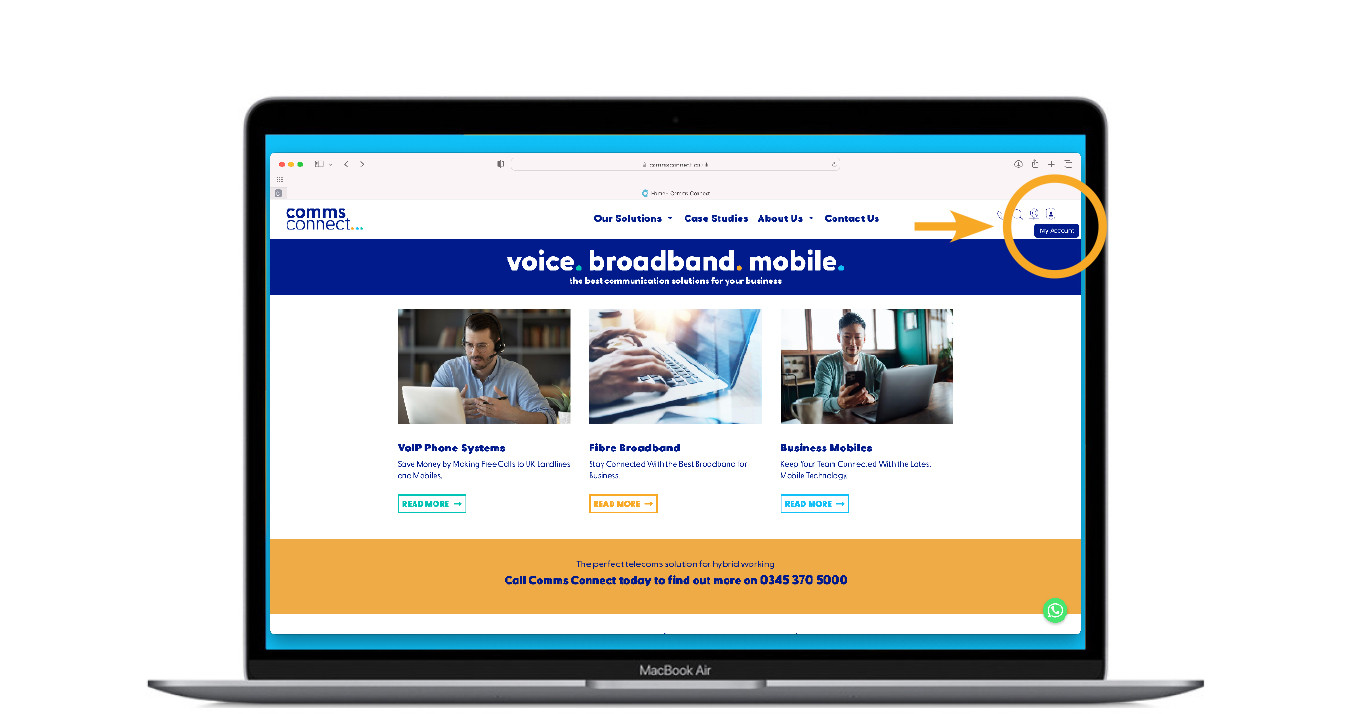
1. Click on the ‘my account’ in the top right of our website
Please note:
If you haven’t received your password please call 0345 370 5000 or email
support@commsconnect.co.uk
Log in to our online billing portal
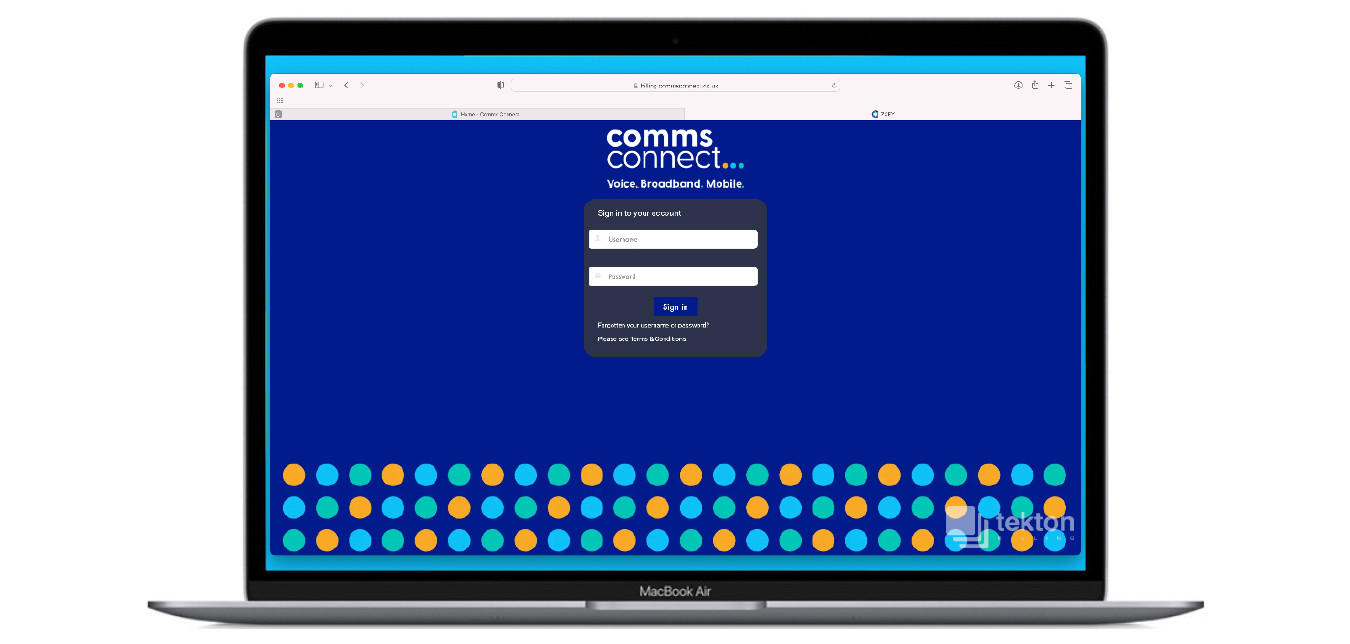
1. Enter your username and password
2. Press login
Please note:
Billing System emails are sent from noreply@commsconnect.co.uk
If you have not received an initial setup email please check your spam/junk
folder and white list noreply@commsconnect.co.uk to ensure you do not miss
out on important correspondance.
Accessing your invoices
1. Click on the invoices button
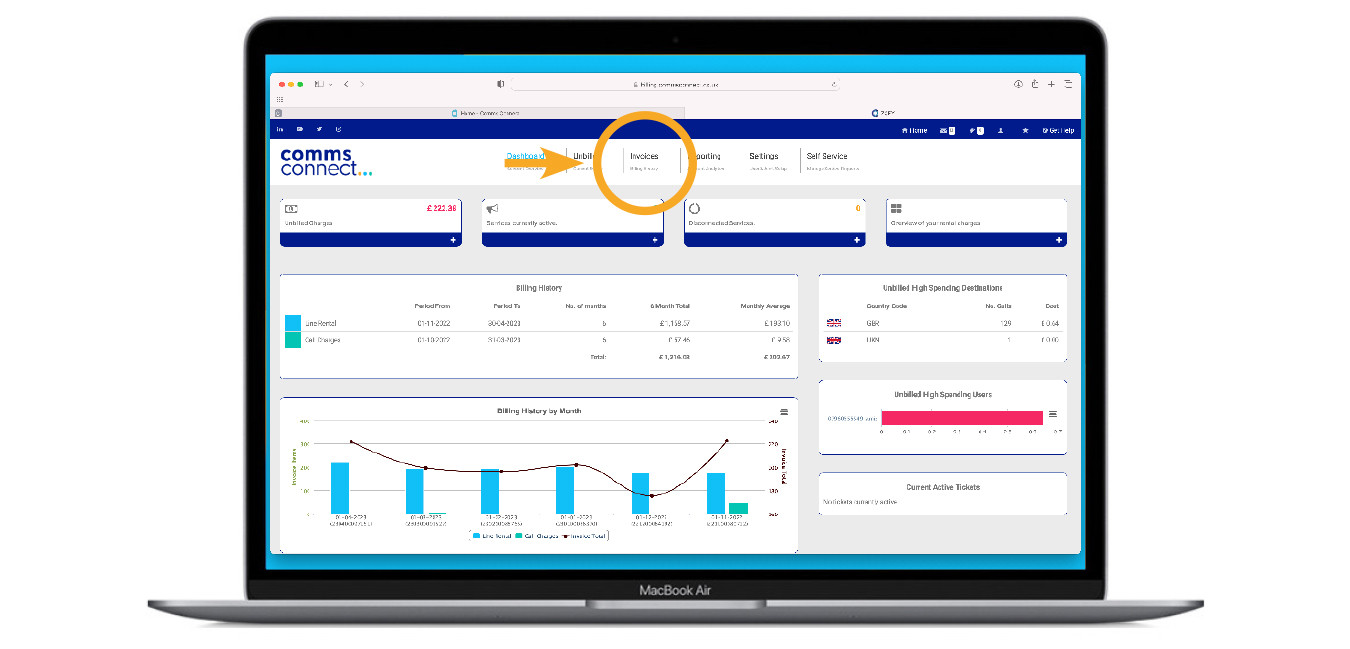
You now have access to a wealth of information about your account!

Click ‘charges overview’ to see info such as:
• Your line rental costs
• Any bolt-on’s you are currently paying for
• Call charges
If you need any help with this our support team will be happy to assist you, please call 0345 370 5000 or email support@commsconnect.co.uk

Other benefits for customers include:
• Easy access to invoices
• Change user names
• Manage SIM swaps
• Monitor your account usage throughout the month
• Available 24/7